Remove.bg Is Shutting Down: What to Do Next
Remove.bg stops working December 1, 2026, and its API shuts down the same day. A practical migration plan for users, sellers, and developers.
 BackGone Team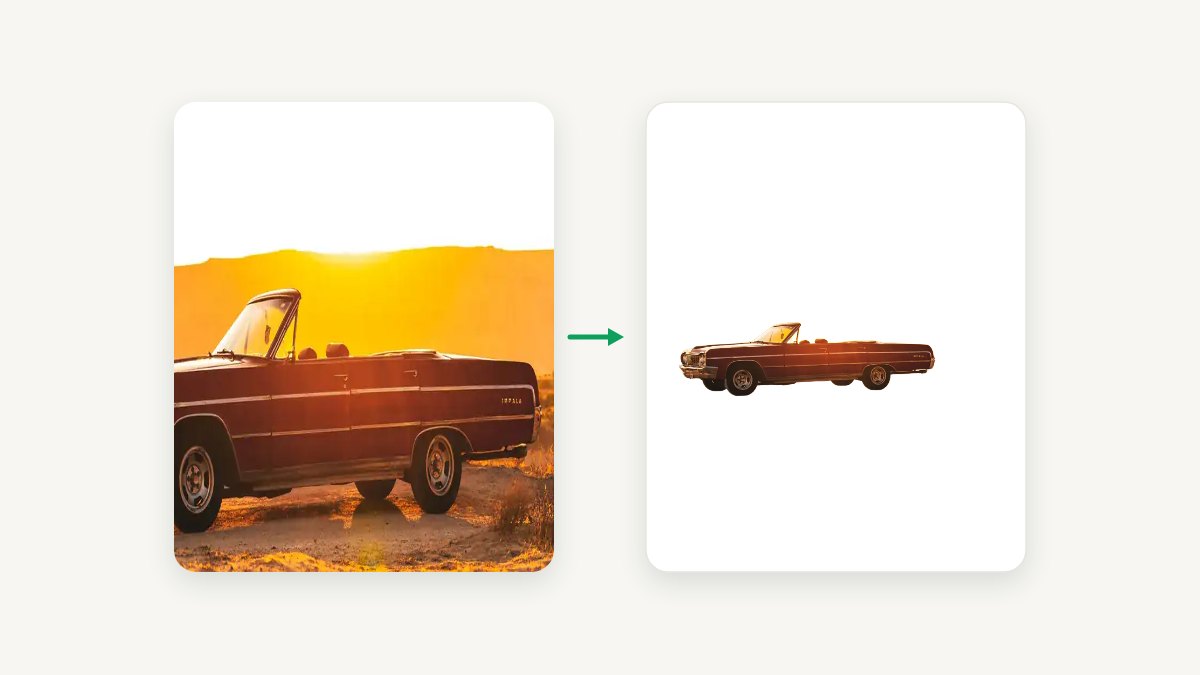
If you use remove.bg — even occasionally — you have a deadline. The company has officially announced that its standalone website and API will stop working on December 1, 2026, at 9:00 CET. Its background removal feature is moving into Canva, and everything else — the website you know, the public API, and every plugin and integration — is going away.
This guide breaks down what the shutdown actually means for different kinds of users, and how to migrate your workflow in the next few weeks instead of scrambling on December 1.
If your app calls the API, start with the developer migration path. If you only need web uploads, try the free tool or compare options on our remove.bg alternative page.
What is actually happening
remove.bg has been the default answer to "how do I remove a background from a photo" for years, handling tens of millions of visits per month. Canva acquired the company, and the product is being folded into Canva's editor. The key facts:
- December 1, 2026, 09:00 CET — the remove.bg website and its public API stop serving requests.
- The background removal feature itself will live on inside Canva (a Canva account is required, and high-volume use needs Canva Pro).
- The remove.bg API shuts down on the same day. This is the part that affects developers, e-commerce tools, and anyone with a script or app calling remove.bg programmatically — those integrations simply stop working.
- Prepaid credits and unused subscription quota on remove.bg don't transfer to Canva.
If your workflow depends on remove.bg, "do nothing" isn't a plan.
The short version, by who you are:
Occasional user (a few images a month)
- Where to go
- Any no-account tool — BackGone is one
- What to watch
- remove.bg’s free download was always a 0.25MP preview — judge any replacement by what you actually get to download for free
Canva Pro subscriber
- Where to go
- Nothing to migrate — the feature moves into your editor
- What to watch
- Background removal is a Pro feature; the free Canva plan does not include it
Seller / designer (weekly volume)
- Where to go
- A dedicated tool plus marketplace presets
- What to watch
- Compare per-image cost at your real monthly volume; subscription quota elsewhere expires monthly, our credits never expire
Developer / business (API)
- Where to go
- Leonardo.Ai (the official successor) or a drop-in API like ours
- What to watch
- The API dies the same day as the website — migrate and load-test before the late-November rush
What this means for you
Casual users: "I remove a background once in a while"
You're in the easiest spot — unless you already pay for Canva Pro, in which case background removal just moves into the editor you already have and there's nothing to migrate. Either way you don't need a new subscription, and you definitely don't need to learn a new editor. What you need is a tool that works the same way remove.bg did: upload a photo, get a transparent PNG back, no account required.
That's exactly what we built BackGone to be. The core tool is free with no signup — 2 images per day anonymously, 5 per day with a free account. Upload a photo and you get a clean, transparent PNG in seconds — edges that hold up on hair, fur, and fine details. No watermark, no Canva account, no download of an app. We ran the same four photos through six free tools and measured what you actually get to keep — see the measured comparison.
Photographers, designers, and e-commerce sellers: "I process images every week"
For you, the question isn't just "where do I click" but volume and cost. remove.bg's list price worked out to about $0.20 per image, and $9 a month covered 40 images.
Before committing to any replacement, do the math on your monthly volume. For comparison, our pricing at BackGone:
- Starter: $9/month for 500 images — 12.5 times the volume remove.bg offered at the same price.
- Pro: $29/month for 2,000 images, including batch processing (up to 100 images at once).
- Pay-as-you-go credit packs from $5, and — unlike remove.bg, where unused subscription quota expires at the end of every month — our credits never expire.
If you process product photos in batches (white-background listings for Amazon, Shopify, eBay), also check out our bulk background remover — drag in up to 20 photos, get transparent PNGs back, and download them all as one ZIP. Free to try without an account.
Once the cutout is clean, the listing has its own rules: Amazon's main image has to be pure white with the product filling at least 85% of the frame, and the other marketplaces publish their own canvas and size floors. Our marketplace presets recompose a cutout to each platform's canvas and measure the background, the frame fill and the export size on the actual image before you upload it.
Developers and businesses: "my app calls the remove.bg API"
You're facing a hard cutoff, and the search for a replacement API has been the loudest conversation in developer communities since the announcement. A few things to consider when choosing:
- Pricing model. Per-image pricing varies by an order of magnitude across providers (from under $0.001 to $0.10+). At scale this is the difference between a viable product and a money pit.
- Billing predictability. Fixed per-image pricing is far easier to model than per-second compute billing.
- Commercial licensing. Some popular open-source models (e.g., RMBG v1.4) are explicitly non-commercial. Using them in a paid product is a license violation waiting to happen.
Our API at BackGone prices the same work at $0.020–$0.033 per image, depending on the pack — from a $10 top-up, and the credits never expire — and is designed as a drop-in conceptual replacement: POST an image, get a transparent PNG. Compare the API packs and set up a key yourself; it is self-serve, so you can be migrated before December 1 without waiting on anyone.
How to migrate in 3 steps (do it now, not on November 30)
Step 1 — Inventory your usage. Look at the last 3 months: how many images do you process, at what resolution, through which channels (web, plugin, API)? That tells you whether you need a free tool, a subscription, or an API plan.
Step 2 — Run your hardest images through the replacement. Do not test with easy studio shots. Take your worst cases — flyaway hair, pet fur, sheer fabrics, product photos with reflective edges — and compare outputs side by side. (We ran this same test on hundreds of images before picking our engine — on the hardest ones, the results were indistinguishable from remove.bg's.)
Here are two of those hardest cases, processed by BackGone's production engine — original on the left, the result on a clean white background on the right:


Voluminous curls — every strand survives the cutout.


Fine pet fur — wispy ears preserved hair by hair.
Step 3 — Switch before the rush. Millions of users will start hunting for alternatives in late November. Tools get overloaded, support queues back up, and you'll be learning a new workflow with the clock running. Migrating now takes an afternoon; migrating on November 30 takes a nerve-wracking week.
Frequently asked questions
Is remove.bg really shutting down, or is this a rumor? It's official — the announcement is on remove.bg's own homepage. The standalone website and API stop working on December 1, 2026, at 9:00 CET.
What happens to my unused remove.bg credits? They don't transfer to Canva. Use them before December 1.
Is there a free alternative that doesn't require a Canva account? Yes — BackGone lets you remove backgrounds from 2 images per day without any signup, with downloads capped at 1024px. A free account raises that to 5 per day, and paid plans start at $9/month.
I only need batch processing once in a while. What should I use? Our bulk background remover handles up to 20 images per batch with no account required, and up to 100 for Pro subscribers.
Is the quality as good as remove.bg? On everyday photos, yes. On the hardest images (fine hair, fur, semi-transparent edges) we found the output indistinguishable in side-by-side testing — which is exactly why we built on this engine. Try it with your own photos — the first few each day are free.
When should I switch? Now. Late November is when everyone else will start looking — that's when tools get slammed, support queues fill up, and you're learning a new workflow under pressure. For a deeper comparison of your options, see our remove.bg alternative page, which we keep updated as the shutdown approaches.
BackGone is an independent AI background removal tool — free to try, no signup required, with batch processing and a self-serve API from $0.02 per image. Last checked: 2026-09-30 — the shutdown announcement and the migration paths above were re-verified on that date.