AI Background Remover
Remove the background from any photo in seconds with our free AI background remover. No signup, no watermark — just a clean, transparent PNG ready to use anywhere.
No image handy? Try a sample (doesn't count toward your daily limit):
Free, no signup — 2 images per day. Create a free account to raise that to 5 per day.
Why choose our AI background remover
An AI background remover built for speed, quality, and privacy — free to use with no signup required.
Studio-quality cutouts
Our AI background remover detects people, products, pets, and objects with pixel-precise edges — hair and fine details included. The result is a clean transparent PNG that looks professionally edited.
Results in seconds
Most images are processed in 1 to 7 seconds. Upload a photo and the AI background remover returns a transparent cutout almost instantly — no queue, no waiting.
Free, no signup
Remove backgrounds from up to 2 images a day without an account, and up to 5 a day when you sign in. No credit card, no watermark, no hidden limits. Need more volume or full resolution? Paid plans and never-expiring credit packs have you covered.
PNG, JPEG & WebP
Upload any common photo format up to 10MB. The AI background remover always outputs a transparent PNG, ready for design tools, marketplaces, and social media.
Private by design
Your images are processed in memory and never stored on our servers. What you upload stays yours — we keep nothing after the background is removed.
One-click background colors
Swap the transparent background for white, ID-photo blue or red, studio pastels, or any custom color — previewed instantly in your browser, free and unlimited.
See it in action
Real photos, processed by our AI background remover. Compare the original, the transparent cutout, and a clean white background.


Drag to compare — voluminous curls, before and after.



Fine fur and wispy ears, preserved strand by strand.

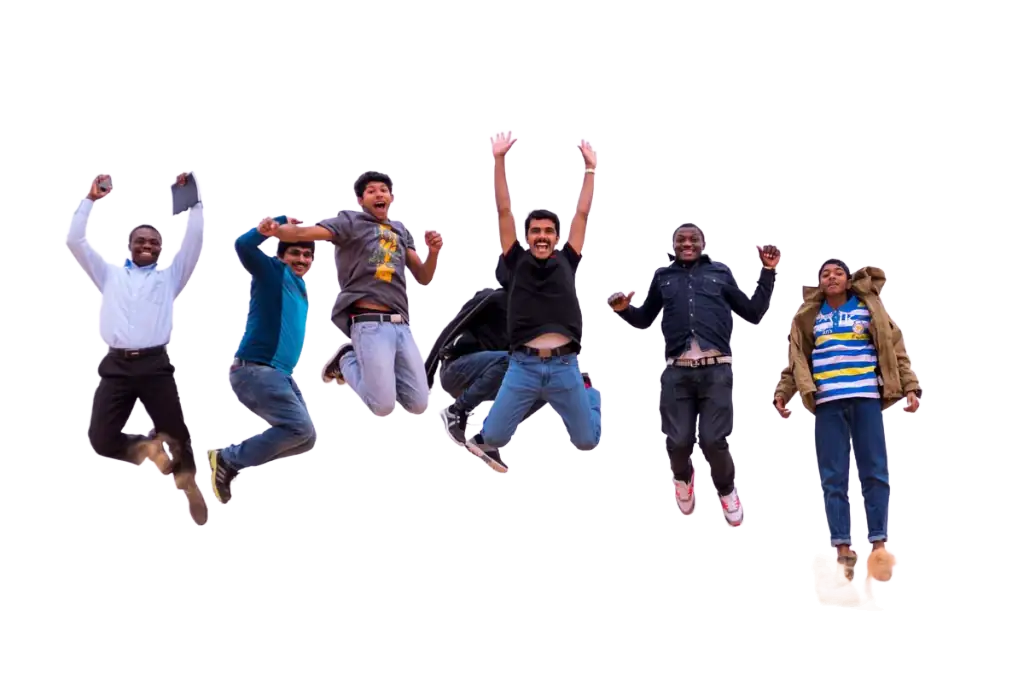

Six friends mid-jump on the sand — flying limbs and all, cut out together.



Dense coils against a studio wall — curl by curl, nothing lost.



A seared scallop tower lifted off a candlelit restaurant table, garnish and all.



Five glasses stacked in thin air — rims, stems, and refraction preserved.
How it works
Removing a background with AI takes three simple steps — no design skills needed.
1Upload your image
Click, drag & drop, or paste a photo. Our AI background remover accepts PNG, JPEG, and WebP files up to 10MB.
2AI removes the background
The AI background remover finds the main subject, separates it from the background, and checks that a subject was clearly detected — all in a few seconds.
 3
3Download your PNG
Preview the before and after side by side, then download a transparent PNG. Use it for e-commerce, avatars, or creative projects.
Frequently asked questions
Everything you need to know about removing backgrounds with AI.
Remove your first background now
Remove a background with AI in seconds — upload a photo and get a transparent PNG. Free, no signup, no watermark.